
Your Smartphone Can Detect Metal? Discover This Hidden Feature Before It's Too Late!

Smartphones have become indispensable tools in our daily lives, thanks to the multitude of sensors and components that enhance their functionality. Some of these sensors, like the ambient light sensor that adjusts brightness and the gyroscope that enables auto-rotation, are well-known. However, others, such as the barometer for measuring elevation, remain largely underappreciated. These sensors work behind the scenes, facilitating a seamless user experience.
Innovative apps have emerged, leveraging these specialized sensors to create unique experiences. One notable example is the "iBeer" app, which simulates the experience of drinking from a cup and has been downloaded over 90 million times. Today, you can find numerous metal detector apps on both the iOS App Store and Google Play Store. But the question remains: are these apps genuine tools or merely clever gimmicks?
📰 Table of Contents
Many smartphones are equipped with a sensor known as the magnetometer, which can detect metal objects with varying degrees of accuracy. You might wonder why this sensor is essential for your device. The answer lies in its primary function: powering the digital compass, which detects Earth’s magnetic field to help you navigate using apps like Apple Maps or Google Maps.
When a smartphone's magnetometer measures the Earth's magnetic field along the X, Y, and Z axes, it can identify fluctuations. While the magnetic field remains stable over short periods, the presence of specific magnetic devices will cause the magnetometer’s readings to spike. This spike indicates proximity to a metal object, albeit with limitations.
In practical terms, the magnetometer is not optimized for detecting small metallic items. Instead, it excels at identifying larger, ferrous (iron-containing) metals. This limitation means that while the magnetometer can pick up some metal objects, it is often not a reliable tool for metal detection, especially for smaller items.
For instance, in testing various metal detector apps such as Metal Detector and Smart Metal Detector, I found that their effectiveness is limited unless the phone is very close to a large magnet. When I placed my phone near my desktop speaker—powered by large magnets—the magnetometer readings spiked, showcasing its capacity to detect larger ferrous metals. However, smaller objects, like a metal pen, were much harder to track.
A Playful Exploration of Your Smartphone's Capabilities
While many metal detector apps fall short, one standout is the Physics Toolbox app, available for free on both iOS and Android. This app distinguishes itself by how it presents data, allowing users to explore their smartphone’s sensors in an engaging way. Most other metal detector apps merely convey magnetic strength as a numerical value, which can be confusing for users trying to detect smaller metal objects.
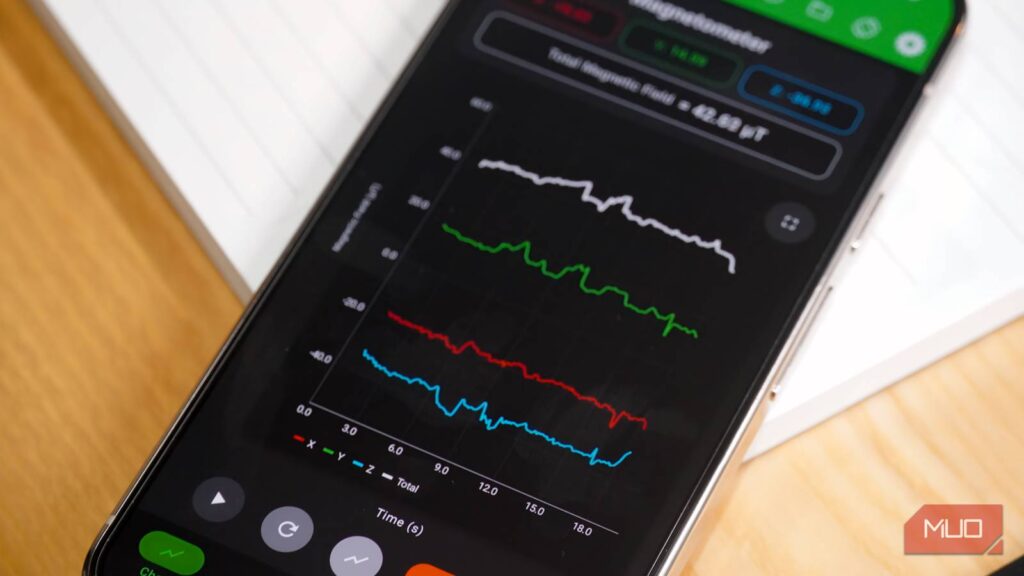
In contrast, the Physics Toolbox app visualizes magnetic strength on a graph, displaying changes in the magnetic field over time. This visual representation makes it easier for users to see when their phone is near a magnetic object. While it may not be practical for serious metal detection, it offers a fun and educational way to engage with your smartphone's hidden capabilities.
In conclusion, the world of smartphone sensors is rich and varied, with many functionalities that enhance our daily experiences. While metal detection apps may not be practical tools in the traditional sense, they open a window to understanding the technology that resides within our devices. For anyone curious to play around with their smartphone’s sensors, the Physics Toolbox app provides a unique and interactive way to explore these underlying mechanics, even if it’s just for fun.
Mavericks' 2026 NBA Draft Secrets: 3 Shocking Picks That Could Change Everything!

You Won't Believe How These 5 Indian Snack Brands Are Taking Over Your Protein Game!

You Won't Believe These Jaw-Dropping NYC Real Estate Deals – Are You Missing Out?

You Won't Believe How IXI Eyewear’s Smart Glasses Could Change Your Vision Forever! Find Out Now!

XRP ETFs Are Booming—Is This the End for Bitcoin and Ethereum? Shocking Numbers Inside!

Is Your Investment Safe? The Shocking Truth About Commercial Real Estate Deals on 1.9.26!
You might also like: