
You Won't Believe How This One Galaxy S26 Feature Changed My Video Watching Forever!

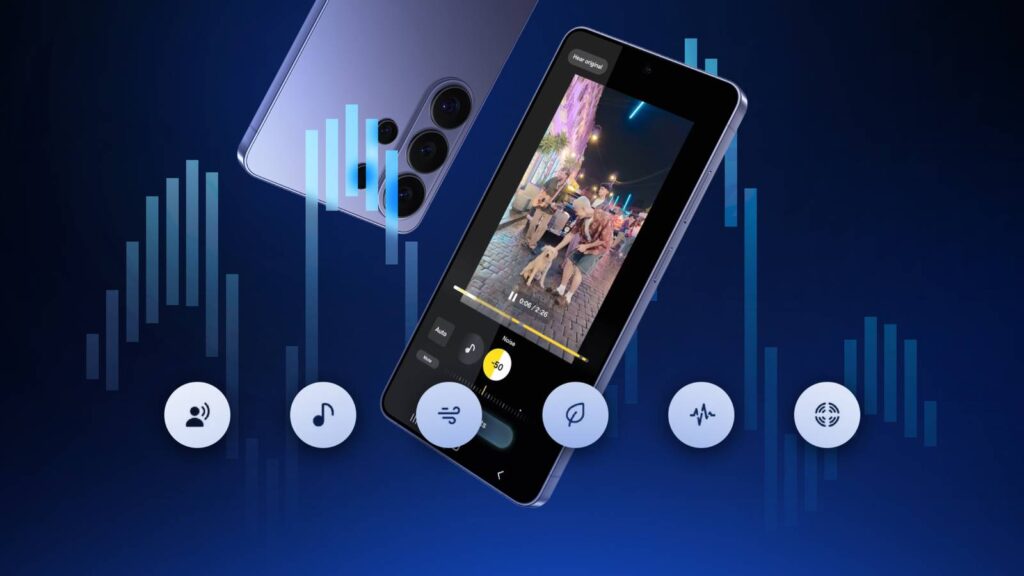
The new Samsung Galaxy S26 Ultra has made a splash in the tech world with its high-profile features, but one addition that may have flown under the radar is the revamped Audio Eraser. This innovative tool not only enhances the audio experience for videos shot on the device, but it also works seamlessly with popular third-party streaming platforms, such as YouTube, Netflix, and Instagram.
Launched with the latest updates from Samsung, the Galaxy S26 Ultra introduces a suite of features under the One UI 8.5 umbrella, including a Perplexity-powered Bixby, Now Nudge, and the capabilities of Gemini screen automation. These features allow users to automate tasks such as ordering food or calling a cab directly from their device. However, it is the Audio Eraser that stands out for its practical implications, especially for those who often find themselves struggling to hear dialogue amidst background noise.
📰 Table of Contents
Enhanced Audio Performance
The Audio Eraser debuted with the Galaxy S25 series, allowing users to reduce unwanted background noise from videos stored in the Gallery app. For instance, if you recorded a concert, you could diminish the crowd noise while preserving the clarity of the performance. This functionality has been expanded in the Galaxy S26, allowing users to apply the same audio enhancements to videos played across various applications.
Imagine you’re watching a live sports event and the crowd noise is overwhelming. With the new Audio Eraser feature, you can filter out much of that background noise, making the commentator's voice clearer. It even includes a voice focus option, which amplifies dialogue, catering to those who may have difficulty hearing in noisy environments. The real-time processing capabilities of this feature make it practical and user-friendly, enhancing your viewing experience without any lag.
How to Access Audio Eraser
For Galaxy S26 users looking to leverage this audio enhancement, accessing the Audio Eraser is quite straightforward. Here’s how you can activate it on supported apps:
- Start playing a video in the app of your choice.
- Swipe down to access the Quick Settings menu, where you'll find the Audio Eraser toggle.
- Tap the toggle to enable Audio Eraser.
- For more detailed controls, tap and hold the toggle to adjust the level of background noise reduction. Higher settings will make vocals clearer, though some AI processing may be involved.
Once you're done, simply tap Done and continue enjoying your video with Audio Eraser actively filtering out unwanted noise.
Currently, the Audio Eraser feature is exclusive to the Galaxy S26 series. Samsung has indicated that there may be plans to expand this feature to other Galaxy devices with future One UI updates, but for now, it remains a unique selling point for the S26 series. Supported apps include streaming giants like YouTube, Netflix, and Prime Video, although a comprehensive list of compatible applications has yet to be released.
Practical Implications
The Audio Eraser represents a significant step forward in enhancing user experiences, especially for those who frequently engage with media content. It's particularly beneficial for viewers with hearing difficulties or those who simply prefer a clearer audio experience. While the feature is a substantial improvement, some users have expressed a desire for a mode that would allow them to remove vocals instead of background noise, which would offer a unique way to enjoy sports games without commentary.
Overall, the Audio Eraser is just one of the many features packed into the Galaxy S26 Ultra, which boasts top-tier performance with the Qualcomm Snapdragon 8 Elite Gen 5 processor and a robust 5,000mAh battery. With the addition of a cutting-edge privacy display to protect user information, Samsung is clearly aiming to innovate in ways that resonate with contemporary user needs.
As you explore the features of your new Galaxy S26 Ultra, don't overlook the Audio Eraser—it could very well change how you interact with videos and enhance your entertainment experience. For those who appreciate clear audio, this handy tool might just become an essential part of your mobile media consumption.
Iran's Social Media Takeover: Are You Ready for the Shocking Propaganda Flood?
You Won't Believe the Shocking Twist in Raptors vs. Suns Odds—Find Out Who's Set to Win BIG!

The Shocking Truth: Why 90% of Smartphone Brands Abandoned SD Cards—And What It Means for You!
Access Denied? Discover the Shocking Truth Behind 87% of Users Missing Out on This Secret!

NASA's Shocking New Rule: Astronauts Can Now Bring Smartphones to Space—What Will They Share First?

Providence Customers in Health Insurance Chaos: 80% Could Lose Coverage—Are You One of Them?
You might also like: