
Unlock the Secret to 100% Faster Wireless Charging—You Won't Believe How Easy It Is!

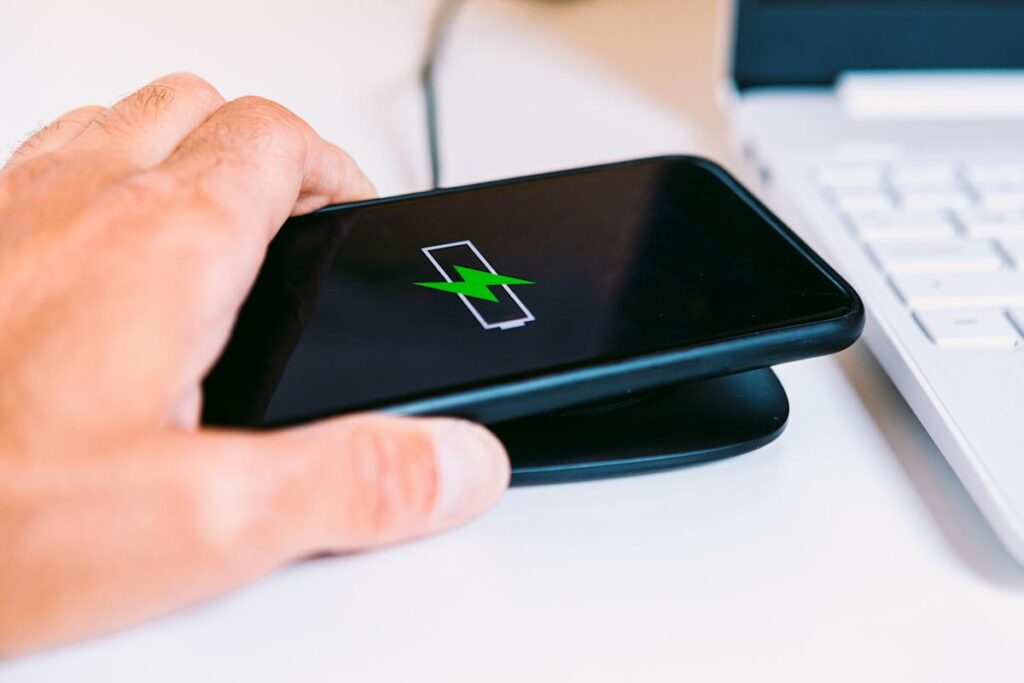
In a world where our smartphones serve as extensions of ourselves, the convenience of wireless charging has become an indispensable feature. Simply placing your device on a charging pad can feel like a magical experience—watching the battery percentage rise without the hassle of tangled cables. However, for many users, the promise of fast wireless charging often falls flat. Devices may heat up, charging speeds can lag, and the battery percentage might barely budge as time ticks by.
To achieve the fastest wireless charge, it's essential to understand that it's not just about dropping your phone on any pad. Maximizing your wireless charging speed demands the right equipment, including top-rated wireless chargers and the latest standards. Knowledge of your smartphone’s capabilities is also key. Let’s explore the nuances of wireless charging and how to ensure you get the most from this technology.
📰 Table of Contents
How Wireless Charging Works
Wireless charging operates on the principle of electromagnetic induction. When you position your phone on a compatible charging pad, an electrical current flows through a coil within the charger, generating an electromagnetic field. A second coil inside your phone captures this energy and converts it back to electricity to charge the battery. While this sounds straightforward, the efficiency of this process hinges on several factors, including coil alignment, charger power output, and the phone's ability to manage heat during charging.
For years, the Qi standard from the Wireless Power Consortium has governed the operation of most wireless chargers. Almost all major smartphone brands support Qi, allowing users to mix and match chargers and phones without issue. However, new advancements have been introduced with the Qi2 standard, which began rolling out in 2024 and expanded throughout 2025. Qi2 enhances energy transfer and charging speeds through magnetic alignment, enabling devices to snap into the ideal position automatically, thus minimizing wasted energy and heat. Qi2 chargers can now deliver anywhere from 15 to 25 watts of output, depending on the device.
Understanding Power Limits
Every smartphone is designed with a built-in limit regarding how much power it can accept wirelessly. For instance, the iPhone 12 models and later can receive up to 15 watts through MagSafe, and Samsung's Galaxy S25 series can utilize similar speeds with Qi2 technology. If you pair a less powerful charger—like a 10W wireless charger—with an iPhone 17, it will charge at a maximum of 10W, regardless of how powerful the charger itself is.
Additionally, software settings can impact charging speed. Some Android devices feature a "Fast Wireless Charging" option that needs to be activated to achieve optimal speed. Other devices may automatically adjust charging rates to prevent overheating if temperatures rise too high. Ensuring your device is configured correctly can make a significant difference in charging efficiency.
Choosing the Right Charger and Accessories
The quality and performance of wireless chargers can vary tremendously. Opting for a Qi2-certified charger guarantees adherence to the latest safety and efficiency standards, providing consistent power delivery and safeguarding against overheating and overcharging. Conversely, uncertified or bargain chargers may not deliver the expected performance.
Your wall adapter plays a crucial role as well. Many people unknowingly connect their charging pads to outdated 5-watt or 10-watt adapters, limiting their charging potential right from the start. For maximum results, use a high-output USB-C adapter rated at 20 watts or more, ideally one designed for fast charging.
Don't overlook the cable connecting your adapter to the charger. High-quality, shorter cables reduce resistance and power loss, while longer or cheaper alternatives can hinder performance. Most recent USB cables will indicate their maximum wattage capacity, and selecting a cable that supports higher outputs can improve compatibility across your devices.
Maximizing Efficiency through Proper Setup
Even with the most suitable hardware, proper placement and environment can significantly impact charging speeds. Wireless charging is optimized when the phone's coil aligns perfectly with the coil in the pad. If the two components are slightly misaligned, energy transfer becomes inefficient, leading to increased heat and slower charging.
The magnetic alignment feature in Qi2 technology largely mitigates this concern, but older Qi chargers require precise manual placement. Taking an extra moment to ensure your phone is centered can help you avoid minutes of unnecessary charging time. It's also worth noting that bulky cases, particularly those with metal elements, can obstruct or weaken the electromagnetic field. Using a slim, compatible case or no case at all can foster a more effective connection.
Heat management is another critical factor in the charging process. Wireless charging generates more heat than traditional wired methods, and if a device overheats, it may slow down charging speed to protect the battery. Always place chargers on flat, hard surfaces in well-ventilated areas instead of soft fabrics or enclosed spaces that trap heat. Some Qi2 chargers now incorporate small fans or heat-dissipating materials to maintain optimal temperatures during fast charging sessions.
Troubleshooting Slow Charging Speeds
If your device is still charging more slowly than anticipated, it's essential to verify each aspect of your setup. Confirm that your charger and phone are compatible with the same charging standard; while Qi2 chargers work best with Qi2 devices, older Qi devices can still connect, albeit at reduced speeds. Ensure your power adapter delivers adequate wattage to match your phone's maximum wireless charging capability. If your charger uses a replaceable cable, consider swapping it for a certified USB-C cable rated for high power output.
Software updates can also affect performance, as manufacturers often refine charging algorithms through firmware updates that boost efficiency and heat management. Keeping both your phone and charger updated can ensure you benefit from these improvements. If your phone continues to feel excessively hot or the charging indicator flickers, removing the case or cleaning the charging pad might resolve the issue.
The evolution of wireless charging technology, particularly with the advent of Qi2, has significantly bridged the performance gap between wireless and wired charging. While wired methods typically still offer quicker results, a properly configured Qi2 setup can approach those speeds, making wireless charging a viable daily solution. With the right combination of a Qi2-certified charger, appropriate power adapter, meticulous alignment, and effective heat management, you can achieve close to your phone’s peak charging speeds every time you set it down on the pad.
You Won’t Believe These 7 Shocking Items in Your Home That Prove You're a True Lower-Middle-Class Millennial!

Holiday Indulgence or Health Hazard? 5 Shocking Secrets Doctors Reveal About Seasonal Snacking!

You Won't Believe What Snapchat Will Look Like in 2030—The Shocking Predictions You Must See!

Is This Shocking Stock Drop Your Last Chance to Invest Before It Skyrockets?

Kennedy's Shocking Confession: Did He Just Change the CDC's Stance on Vaccines Forever?

You Won't Believe What These 5 Clinical Pharmacists Did to Save Lives—November Heroes Revealed!
You might also like: